
Creative reporting for paid social agencies at scale
When your team is testing hundreds of ads across multiple client accounts, performance data needs to make its way back to the people creating the next round of ads. Kitchn brings creative and performance together in one reporting workflow across Meta, TikTok, Google Ads and Pinterest.
Close the feedback loop between media buying and creative
High-volume creative testing creates a lot of data. The problem is turning that data into something the creative team can actually use.
Kitchn puts performance alongside the ads themselves, so your team can move from rows of metrics to the creative behind them without hunting through Ads Manager, screenshots and spreadsheets.
- See the ad.
- See the performance.
- Understand what changed.
- Use it to inform the next test.
Build reports around the way your agency tests
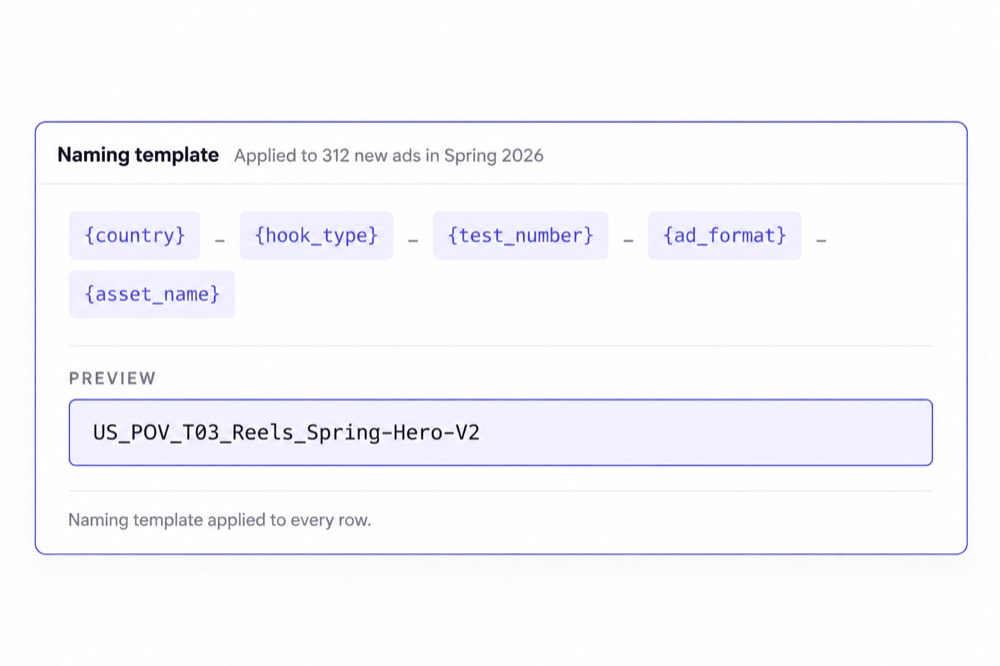
Every agency has its own naming conventions, creative taxonomy and testing framework. Kitchn lets you structure reporting around yours. Group performance by:
- Ad
- Ad name
- Kitchn creative
- Custom dimension
Create custom dimensions from the naming conventions your team already uses with split, match, regex and formula logic.
So if your naming structure already captures hooks, formats, concepts, creators or other testing variables, you can turn those conventions into dimensions for analysis instead of manually rebuilding the breakdown every time.
48
Go beyond standard ad platform metrics
Kitchn includes 48 default metrics alongside support for calculated metrics. Build the measurements your team actually uses, then apply conditional formatting and top or bottom filters to surface the ads and creative patterns worth looking at.
Filter by the top or bottom N results or X% to quickly narrow a large report down to the creatives that deserve attention.
The goal isn't another dashboard full of numbers. It's getting from performance data to a useful creative decision faster.
Facebook creative reporting without the screenshot hunt
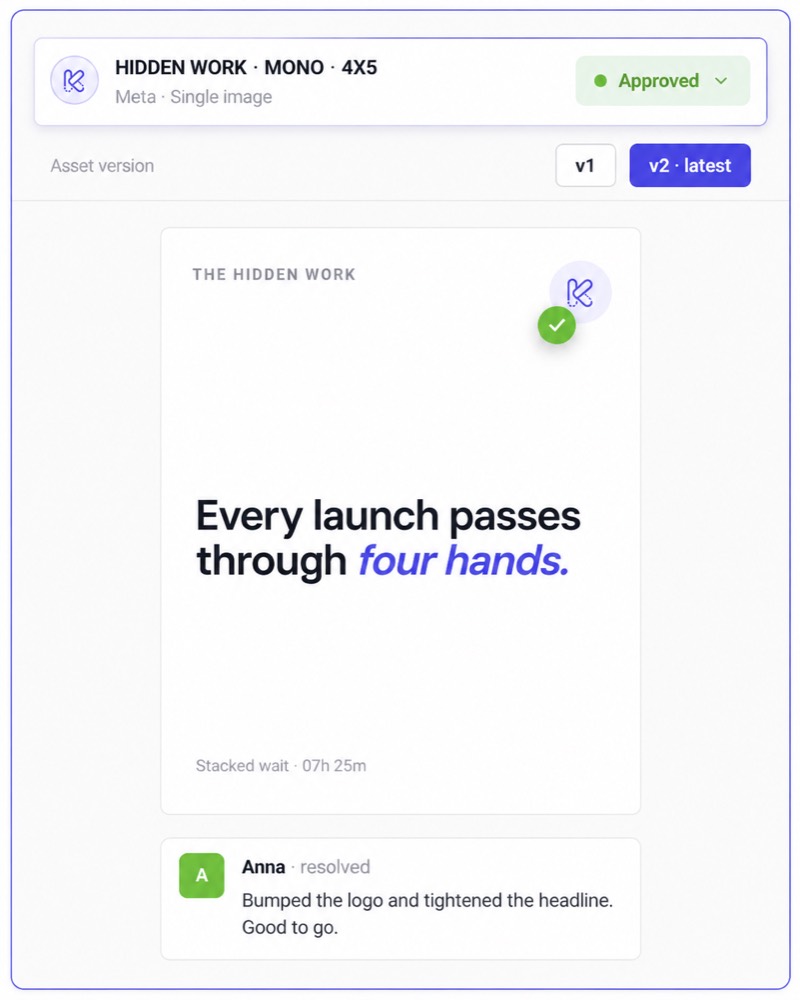
When a report says one Meta ad outperformed another, your creative team shouldn't need to decode an ad name and then search Ads Manager to find out what it looked like.
Kitchn includes an ad screenshot library, rendered by ad and format, so performance can be reviewed alongside the actual creative.
That makes it easier to show clients and creative teams what performed rather than simply handing them another spreadsheet of IDs and metrics.
TikTok ads reports in the same workflow
TikTok performance can be brought into Kitchn Creative Reporting alongside Meta, Google Ads and Pinterest.
That gives agencies running creative across several channels a more consistent reporting workflow instead of creating a completely separate reporting process for each ad platform.
Create different views for different questions
One report doesn't need to answer everything at once. Kitchn supports multiple views and tabs, allowing teams to organise different cuts of the data within the reporting workflow.
Build the report around the decision being made instead of forcing everybody to work from the same table.
Share creative performance with clients and collaborators
Creative reporting shouldn't create another manual delivery process. Kitchn reports can be shared with:
- Members of your Kitchn organisation
- Read-only guests on a report
- Anyone with a public share link
Public share links don't require the recipient to have a Kitchn account. That gives agencies a straightforward way to give clients, designers and other collaborators visibility into the creative performance they need to see.
~10 min
Fresh data without rebuilding the report
Kitchn refreshes Creative Reporting data on a continuous rotation approximately every 10 minutes.
Once the report is structured, your team can return to the same reporting workflow as performance changes rather than repeatedly pulling data and recreating the analysis from scratch. For agencies managing multiple accounts, that removes another repetitive task from the reporting cycle.
Turn reporting into the next creative brief
The value of creative reporting isn't producing the report. It's what your team can do with it.
Kitchn helps teams connect those performance signals back to the actual creative so the next round of testing can start from better information.
Celebrate Company used Kitchn's Creative Reporting and Screenshot Library to make performance easier for its design team to work with, reporting 90% of its reporting automated.
What Creative Reporting doesn't try to be
Kitchn is built around interactive, shareable creative reporting rather than static client-report production.
- PDF export
- Scheduled email delivery
- White-label branding
- Currency conversion
If your agency needs those specifically, they should remain part of the surrounding reporting stack rather than being implied as Kitchn functionality.
Built for reporting at agency scale
As your account book and creative output grow, reporting shouldn't require proportionally more manual work.
Kitchn gives media buyers a faster route from performance to insight, gives creative teams clearer visibility into what is actually working and gives Heads of Paid Social a more repeatable reporting process across the operation.
More creative tested.
A clearer feedback loop.
Less time rebuilding reports.
Manage more ad accounts
with the same team.
Walk through your team's workflows with us.
14 Day Free TrialNo CC Required
